> For the complete documentation index, see [llms.txt](https://dev.guardian.hedera.com/llms.txt). Markdown versions of documentation pages are available by appending `.md` to page URLs; this page is available as [Markdown](https://dev.guardian.hedera.com/guardian/workspace/policies/5539-editing-policy-parameters-at-runtime.md).
# Editing Policy Parameters at Runtime
How to edit policy parameters at runtime without having to republish a policy?
## Editing policy parameters at runtime
This feature lets you modify policy parameters after the policy has been published. First, define which parameters can be edited. To do that, use the new button in the Policy Configurator.
Clicking this button opens a new dialog with dynamic property groups. You can add any number of properties. Each property includes the following fields: **Block**, **Property**, **Visible**, **Apply for**, **Label**, and **Description**.
The **Blocks** dropdown contains only blocks from the current policy that have at least one editable property. The **Visible** field determines who can modify the property. **Apply for** specifies the roles that receive the change. **Label** and **Short Description** appear in the runtime form for editing policy parameters.
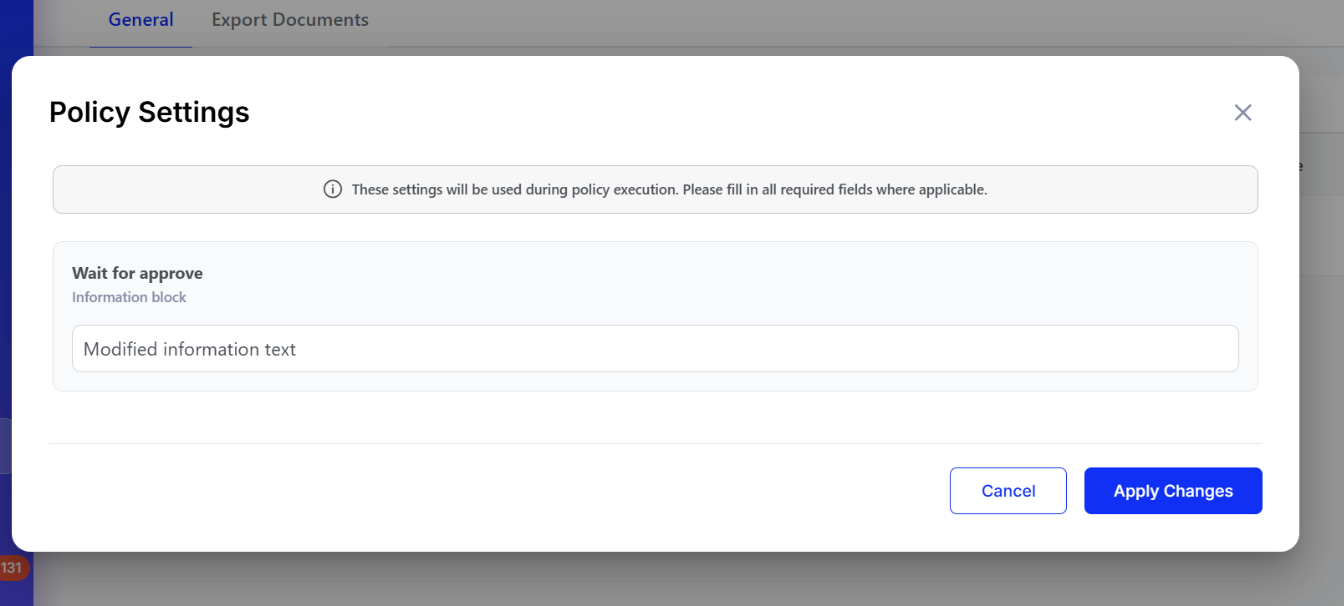
After you configure the policy parameters and publish the policy, a new **Parameter Settings** button appears on the policy.
These settings include the parameters configured in the Policy Configurator. Values for editable parameters are stored in a new database table: `policy_parameters`.
If some parameters are marked as required, this form opens automatically when the user opens the policy.
In this example, the **Information** block can be modified. Before the changes are applied, the text configured in the corresponding property is displayed.
After you add new text to this property, it appears on the page.
## Endpoints for this feature
1. Retrieve the policy parameter configuration.
```
GET
/:policyId/parameters/config
```
2. Save policy parameters.
```
POST
/:policyId/parameters
[{
blockType: string;
blockTag: string;
propertyPath: string;
visible: string[];
applyTo: string[];
label: string;
required: boolean;
shortDescription: string;
value?: any;
}]
```
## Related Issues
* [https://github.com/hashgraph/guardian/issues/5539](https://github.com/hashgraph/guardian/issues/1987)
%20(3).png?alt=media)
%20(3).png?alt=media)