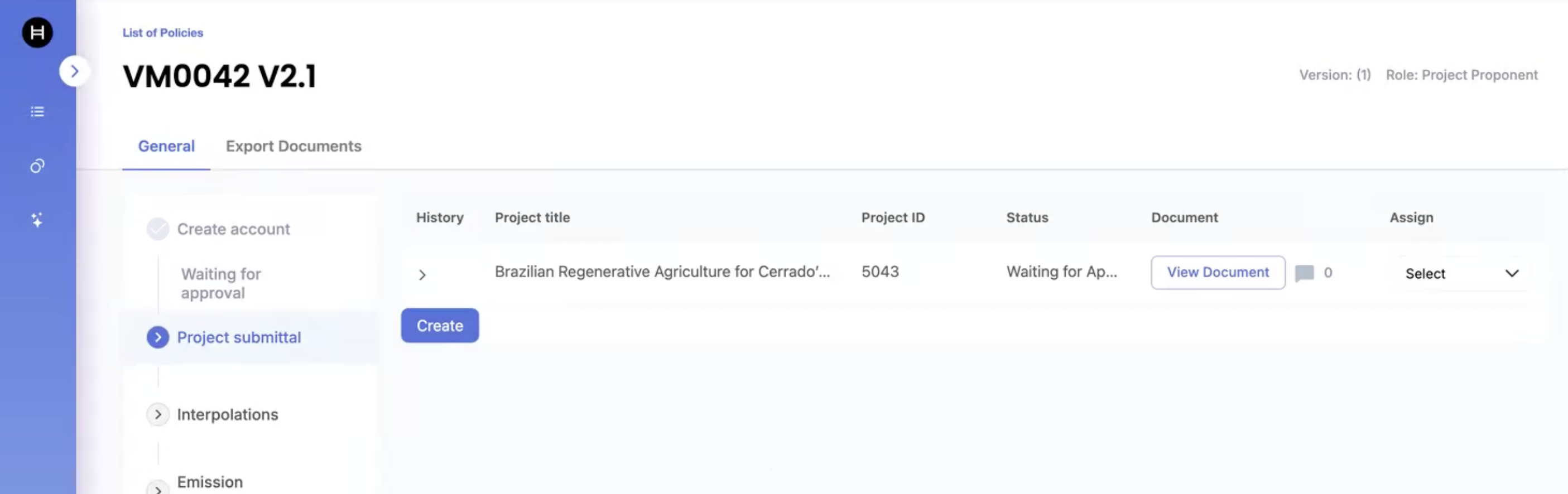
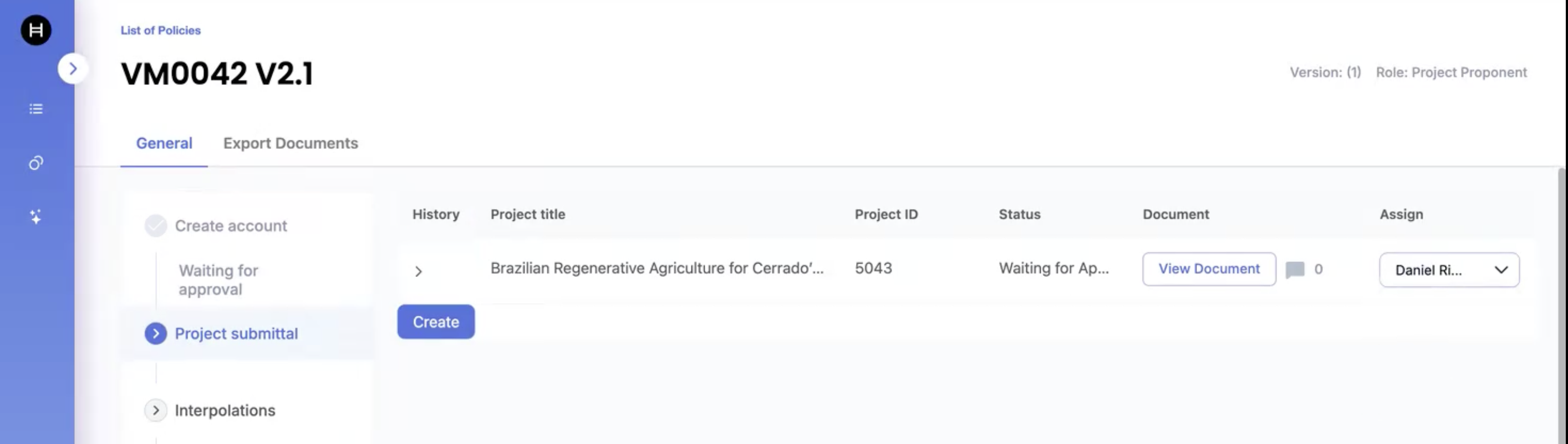
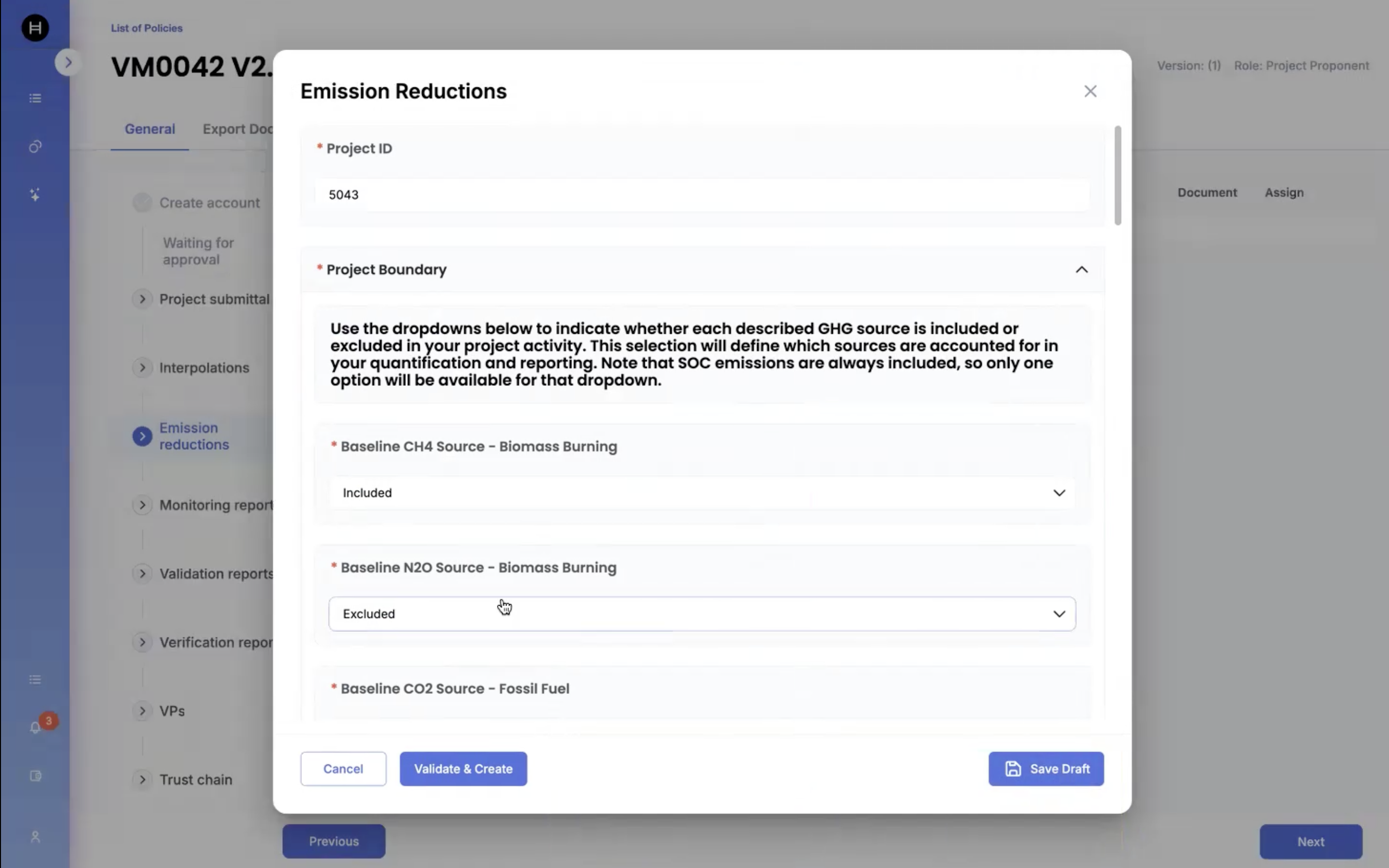
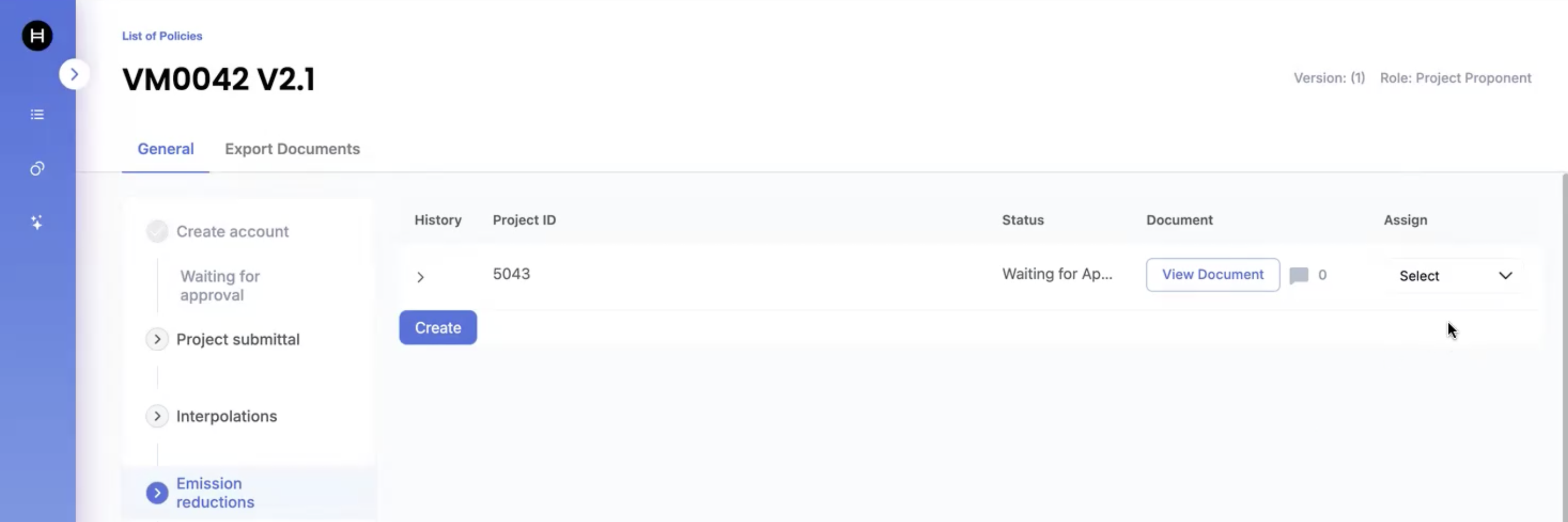
> For the complete documentation index, see [llms.txt](https://dev.guardian.hedera.com/llms.txt). Markdown versions of documentation pages are available by appending `.md` to page URLs; this page is available as [Markdown](https://dev.guardian.hedera.com/guardian/workspace/policies/capture-replay-and-compare-data-for-published-policies/ui-demo-using-cdm-ii.j-policy.md).

# How to record, replay, and capture data for published policies with VM0042?

1. Step By Step
2. Demo

## 1. Step by Step

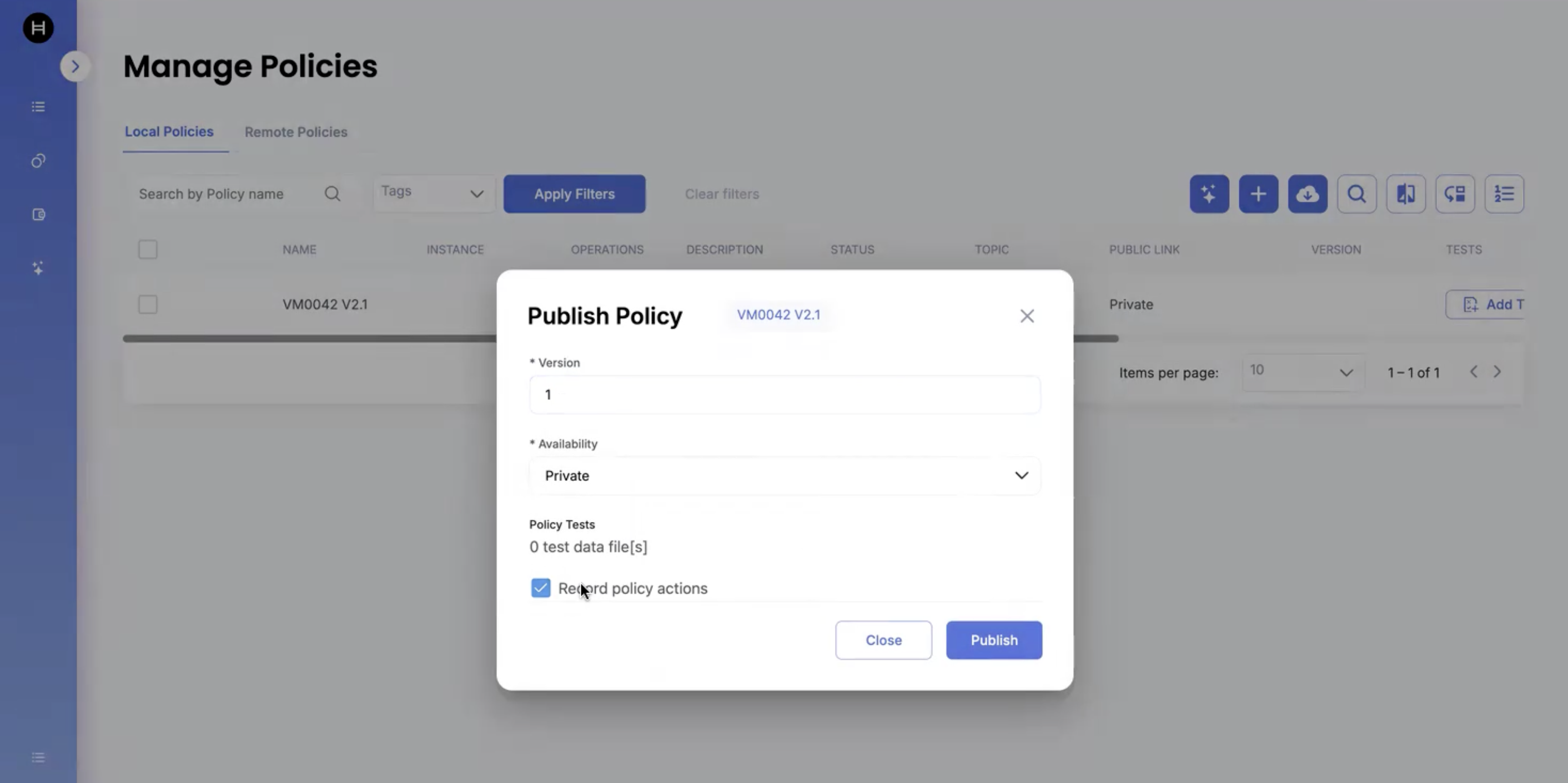
1. Import the VM0042 and publish the policy.

In the **Publish Policy modal**, highlight **☑ Record policy actions** (enabled by default)

<figure><img src="https://501642358-files.gitbook.io/~/files/v0/b/gitbook-x-prod.appspot.com/o/spaces%2FbKnJV8vV7zUxRwKIsJKg%2Fuploads%2Fgit-blob-b70124248fde1f55b309a59aeafe6d8c4a6c7593%2Fimage.png?alt=media" alt=""><figcaption></figcaption></figure>

{% hint style="info" %}
Note: By default, Guardian records every action executed by the policy once it’s published.\
These actions are written to Hedera and stored immutably, with payloads in IPFS.”
{% endhint %}

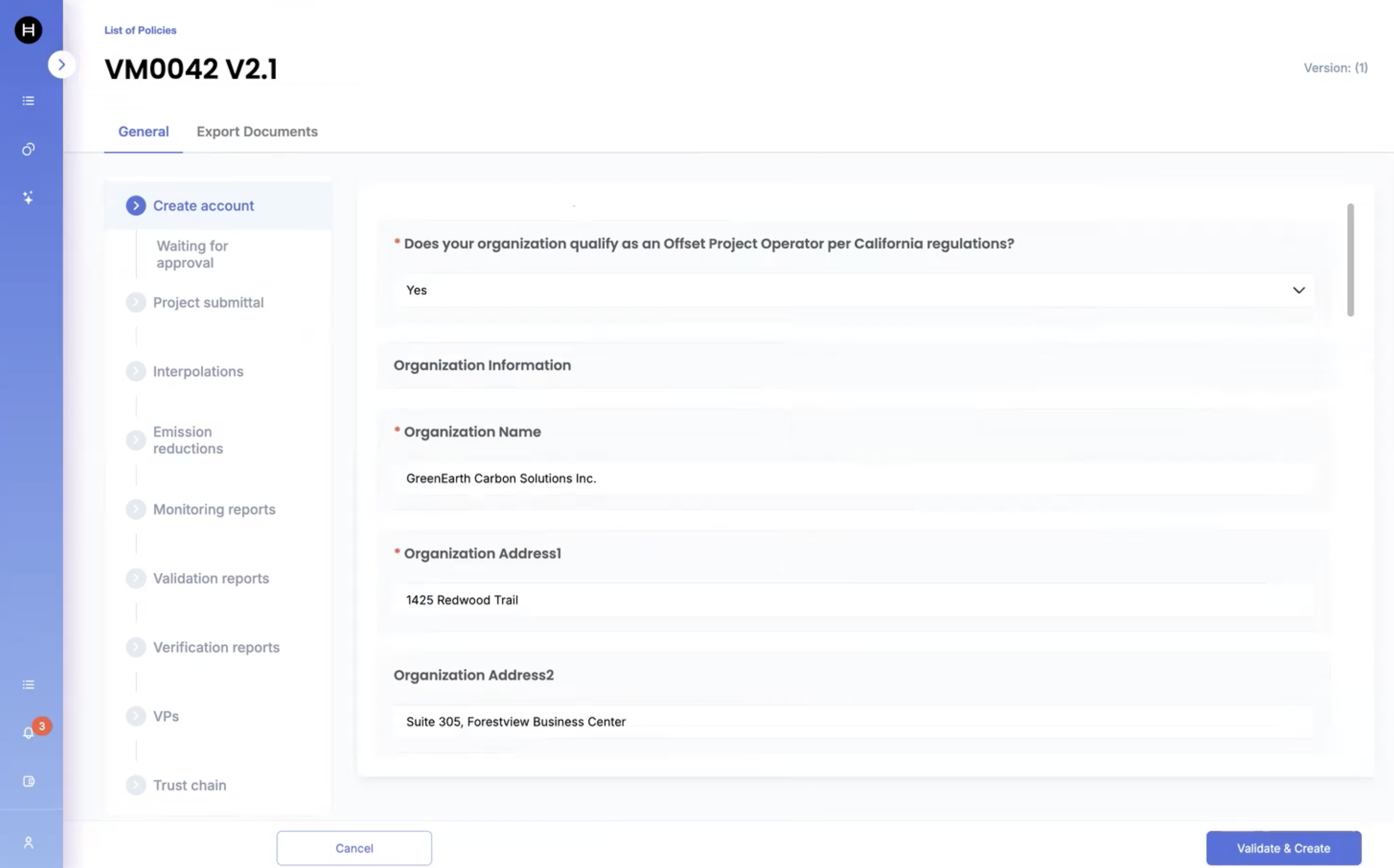
2. Once the policy is published, submit the Project Registration by logging in as Project Proponent:

<figure><img src="https://501642358-files.gitbook.io/~/files/v0/b/gitbook-x-prod.appspot.com/o/spaces%2FbKnJV8vV7zUxRwKIsJKg%2Fuploads%2Fgit-blob-9b5375a10a77ac8ef43615e2ded5cbd1e334b23c%2Fimage.png?alt=media" alt=""><figcaption></figcaption></figure>

{% hint style="info" %}
Note: “Each step you see here—data submission, validation, calculations—is recorded as a discrete step.\
These steps are timestamped, ordered, and linked to IPFS payloads.”
{% endhint %}

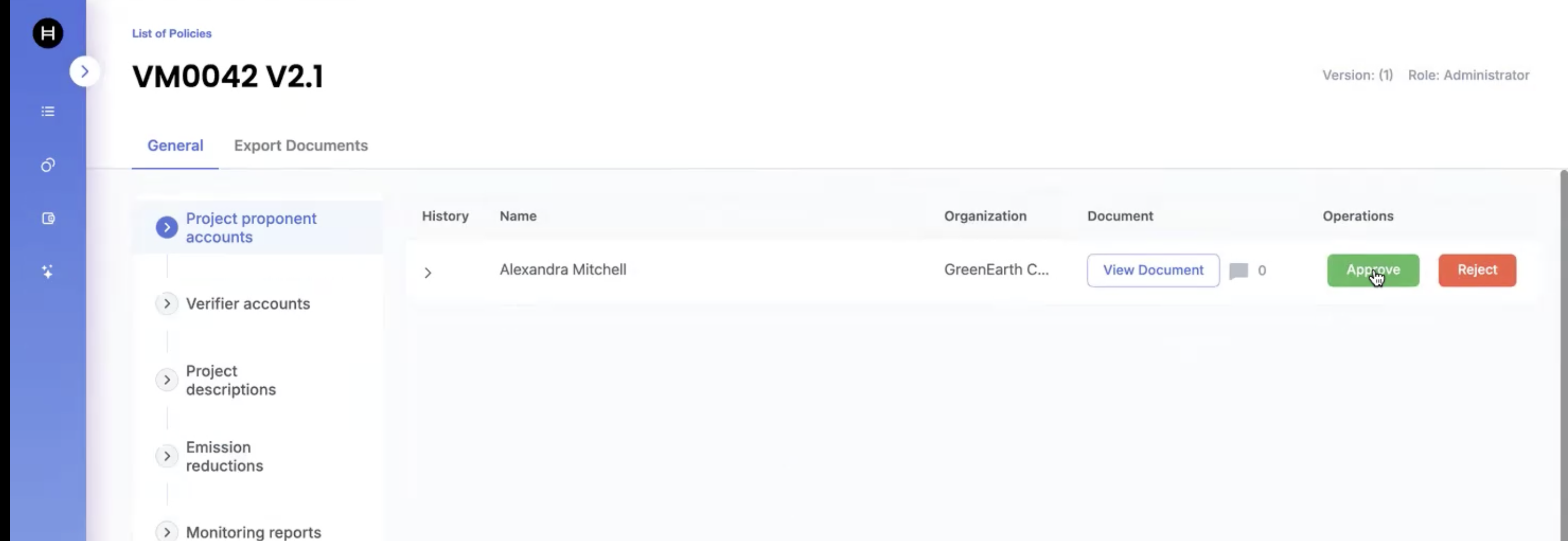
3. Login as Standard Registry and approve the Project Proponent:

<figure><img src="https://501642358-files.gitbook.io/~/files/v0/b/gitbook-x-prod.appspot.com/o/spaces%2FbKnJV8vV7zUxRwKIsJKg%2Fuploads%2Fgit-blob-5b5038b919e7212640257375b6c7267ca469794f%2Fimage.png?alt=media" alt=""><figcaption></figcaption></figure>

4. Login as VVB and submit VVB Registration:

<figure><img src="https://501642358-files.gitbook.io/~/files/v0/b/gitbook-x-prod.appspot.com/o/spaces%2FbKnJV8vV7zUxRwKIsJKg%2Fuploads%2Fgit-blob-80a4f9d7aea1951c2d57094d87ff5c92efe8dec6%2Fimage%20(2)%20(1)%20(1)%20(1)%20(1)%20(1)%20(1)%20(2).png?alt=media" alt=""><figcaption></figcaption></figure>

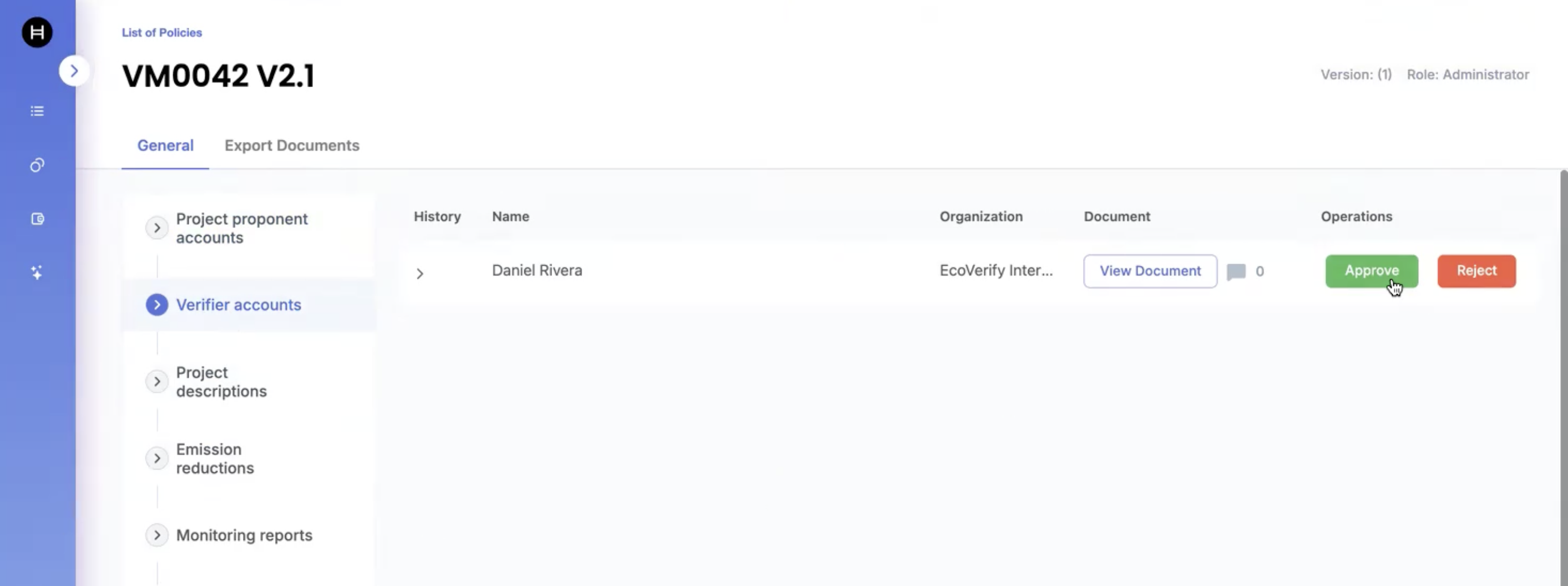
5. Login as Standard Registry and approve the VVB:

<figure><img src="https://501642358-files.gitbook.io/~/files/v0/b/gitbook-x-prod.appspot.com/o/spaces%2FbKnJV8vV7zUxRwKIsJKg%2Fuploads%2Fgit-blob-9344d7469a11cfde7a7d10c1897ccfa561b54199%2Fimage.png?alt=media" alt=""><figcaption></figcaption></figure>

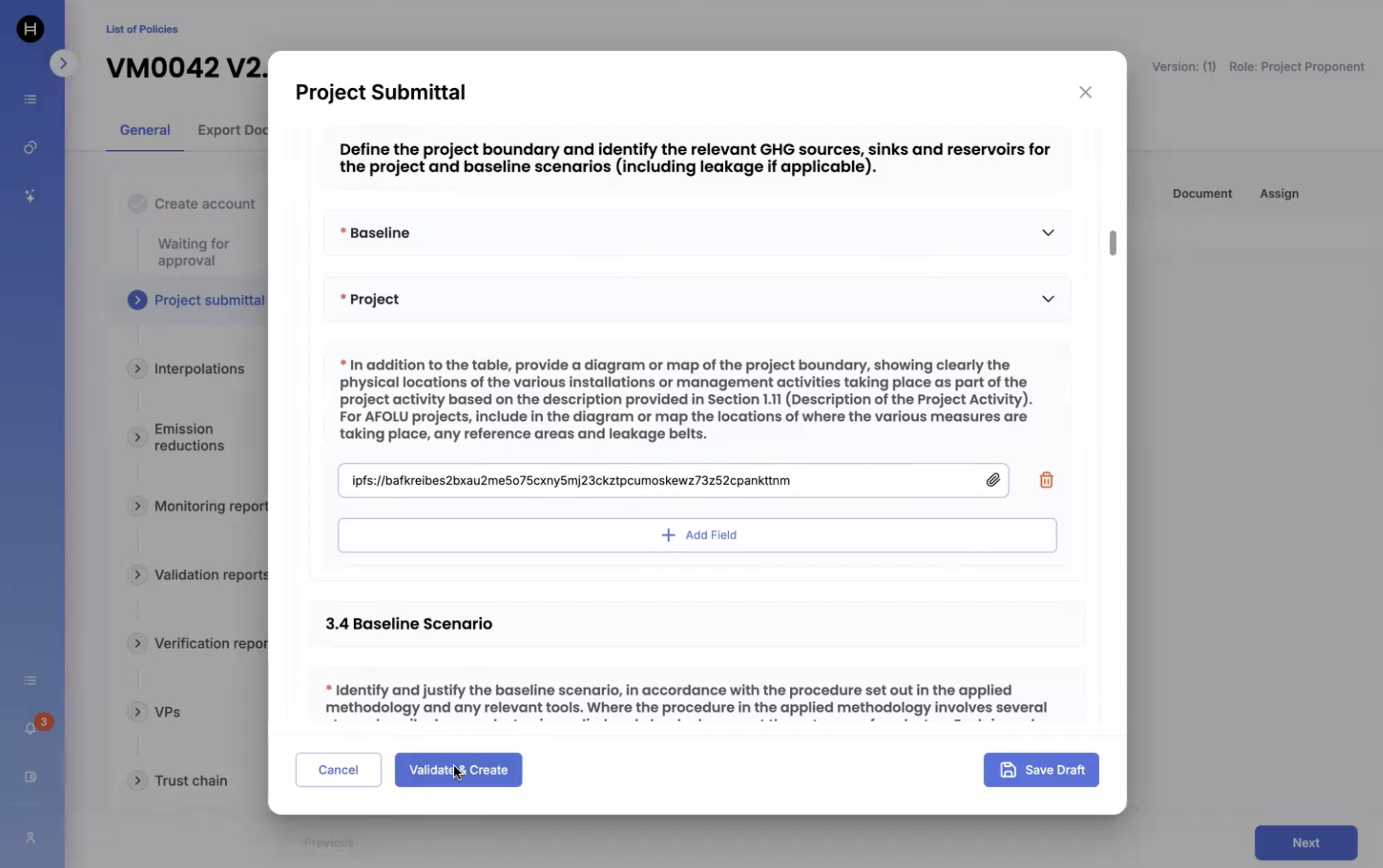
6. Submit the Project Data as Project Proponent:

<figure><img src="https://501642358-files.gitbook.io/~/files/v0/b/gitbook-x-prod.appspot.com/o/spaces%2FbKnJV8vV7zUxRwKIsJKg%2Fuploads%2Fgit-blob-eae80a2def3b4e653307364993896a7a952c454d%2Fimage.png?alt=media" alt=""><figcaption></figcaption></figure>

<figure><img src="https://501642358-files.gitbook.io/~/files/v0/b/gitbook-x-prod.appspot.com/o/spaces%2FbKnJV8vV7zUxRwKIsJKg%2Fuploads%2Fgit-blob-2cae7932567a8e7bbbdd4f0f8c328a2a440413f3%2Fimage.png?alt=media" alt=""><figcaption></figcaption></figure>

7. Assign the VVB to the submitted Project for review:

<figure><img src="https://501642358-files.gitbook.io/~/files/v0/b/gitbook-x-prod.appspot.com/o/spaces%2FbKnJV8vV7zUxRwKIsJKg%2Fuploads%2Fgit-blob-3a5a41c5948cc81635fbc486982940a07e99b883%2Fimage.png?alt=media" alt=""><figcaption></figcaption></figure>

8. Login as VVB and approve it:

<figure><img src="https://501642358-files.gitbook.io/~/files/v0/b/gitbook-x-prod.appspot.com/o/spaces%2FbKnJV8vV7zUxRwKIsJKg%2Fuploads%2Fgit-blob-dcf3fb05da73c4c7a0a1988a35e51f6f3b8fef3f%2Fimage%20(8)%20(1)%20(1)%20(1)%20(1).png?alt=media" alt=""><figcaption></figcaption></figure>

9. Now, I login as Project Proponent and submit the Emission Reduction data where the Emission factor of Calcimite is taken as a default value as 0.12:

<figure><img src="https://501642358-files.gitbook.io/~/files/v0/b/gitbook-x-prod.appspot.com/o/spaces%2FbKnJV8vV7zUxRwKIsJKg%2Fuploads%2Fgit-blob-ba39eefac0b2a3f781ebc1d3332481028e1d7d83%2Fimage.png?alt=media" alt=""><figcaption></figcaption></figure>

<figure><img src="https://501642358-files.gitbook.io/~/files/v0/b/gitbook-x-prod.appspot.com/o/spaces%2FbKnJV8vV7zUxRwKIsJKg%2Fuploads%2Fgit-blob-30db5ae20c2eb401b9577313dddd473cdd6627ff%2Fimage.png?alt=media" alt=""><figcaption></figcaption></figure>

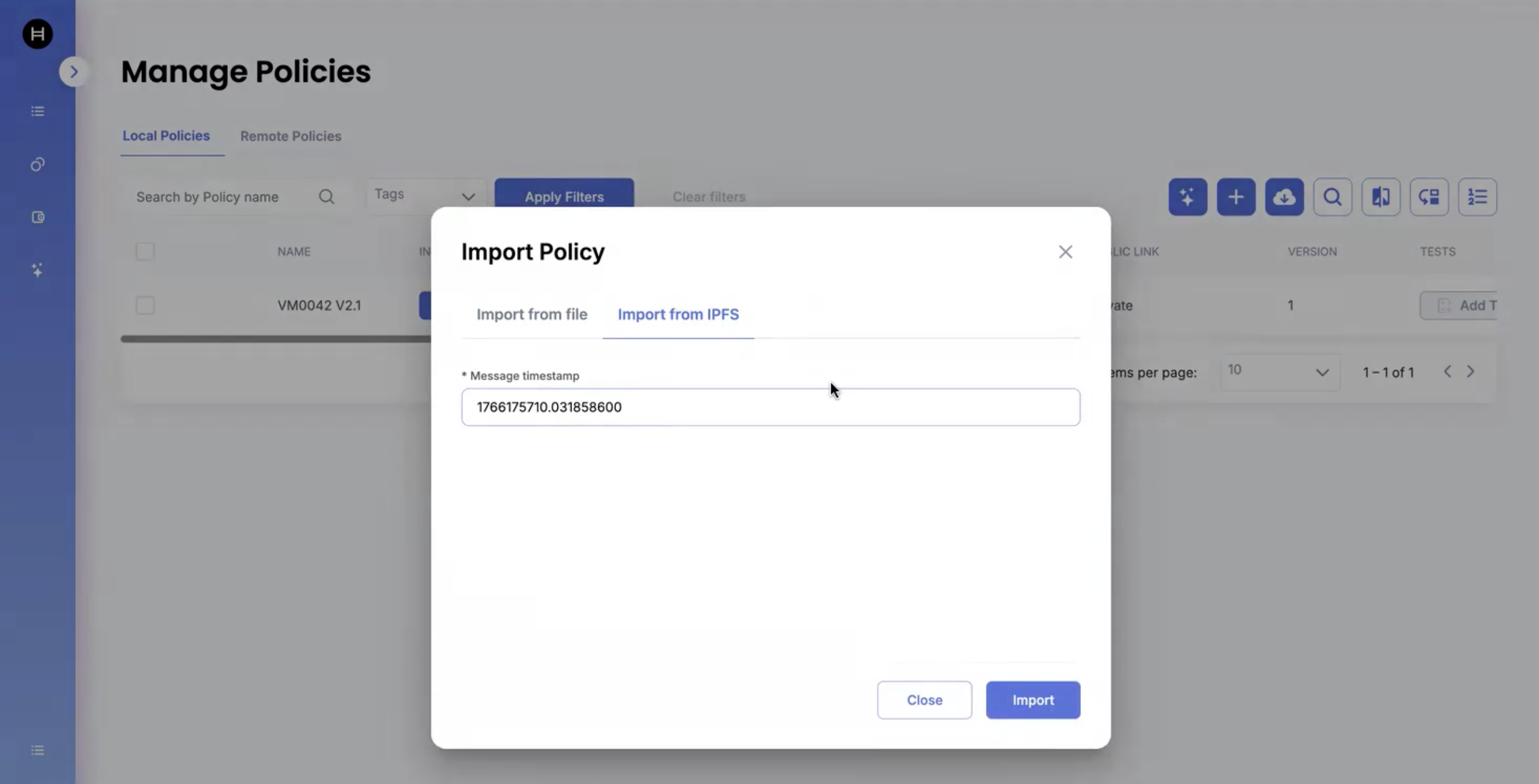
10. Now, I copy the message identifier of this policy in order to import it.

<figure><img src="https://501642358-files.gitbook.io/~/files/v0/b/gitbook-x-prod.appspot.com/o/spaces%2FbKnJV8vV7zUxRwKIsJKg%2Fuploads%2Fgit-blob-ffbef53d46bce1095d3ea8d01cdbfdaecded2d29%2Fimage.png?alt=media" alt=""><figcaption></figcaption></figure>

Also, check: **☑ Import existing record for this policy** during the import

<figure><img src="https://501642358-files.gitbook.io/~/files/v0/b/gitbook-x-prod.appspot.com/o/spaces%2FbKnJV8vV7zUxRwKIsJKg%2Fuploads%2Fgit-blob-d6bcbadf6a1189fcdb6fb613b556a04e745848c1%2Fimage%20(12)%20(1)%20(1)%20(1).png?alt=media" alt=""><figcaption></figcaption></figure>

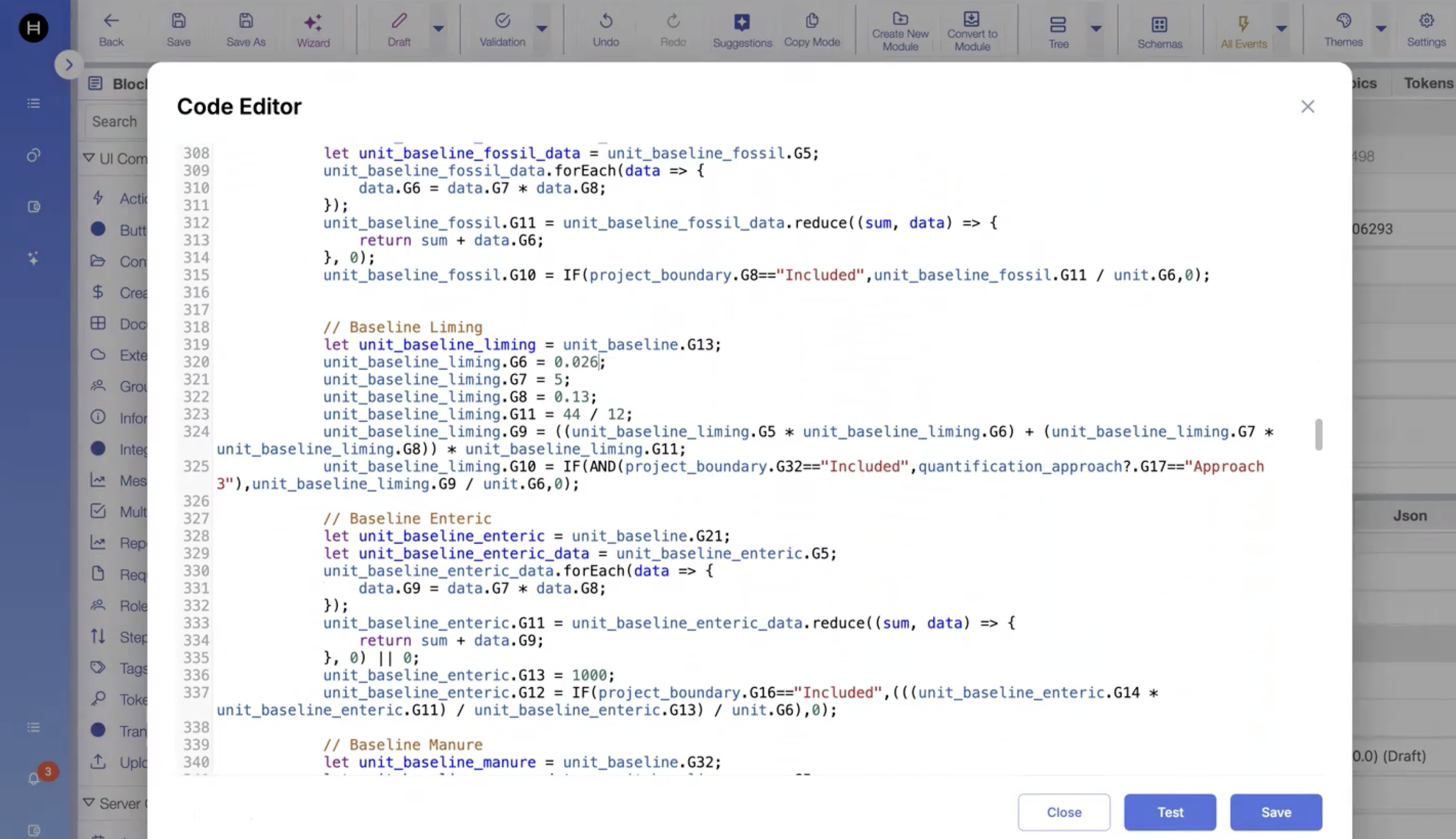
11. Now, I would change the Emission Factor of Calcimite from 0.12 to 0.026 in the policy configurator in draft status and then save it.

<figure><img src="https://501642358-files.gitbook.io/~/files/v0/b/gitbook-x-prod.appspot.com/o/spaces%2FbKnJV8vV7zUxRwKIsJKg%2Fuploads%2Fgit-blob-be4347947d6178c0f40989049da80baafe9aa8dc%2Fimage.png?alt=media" alt=""><figcaption></figcaption></figure>

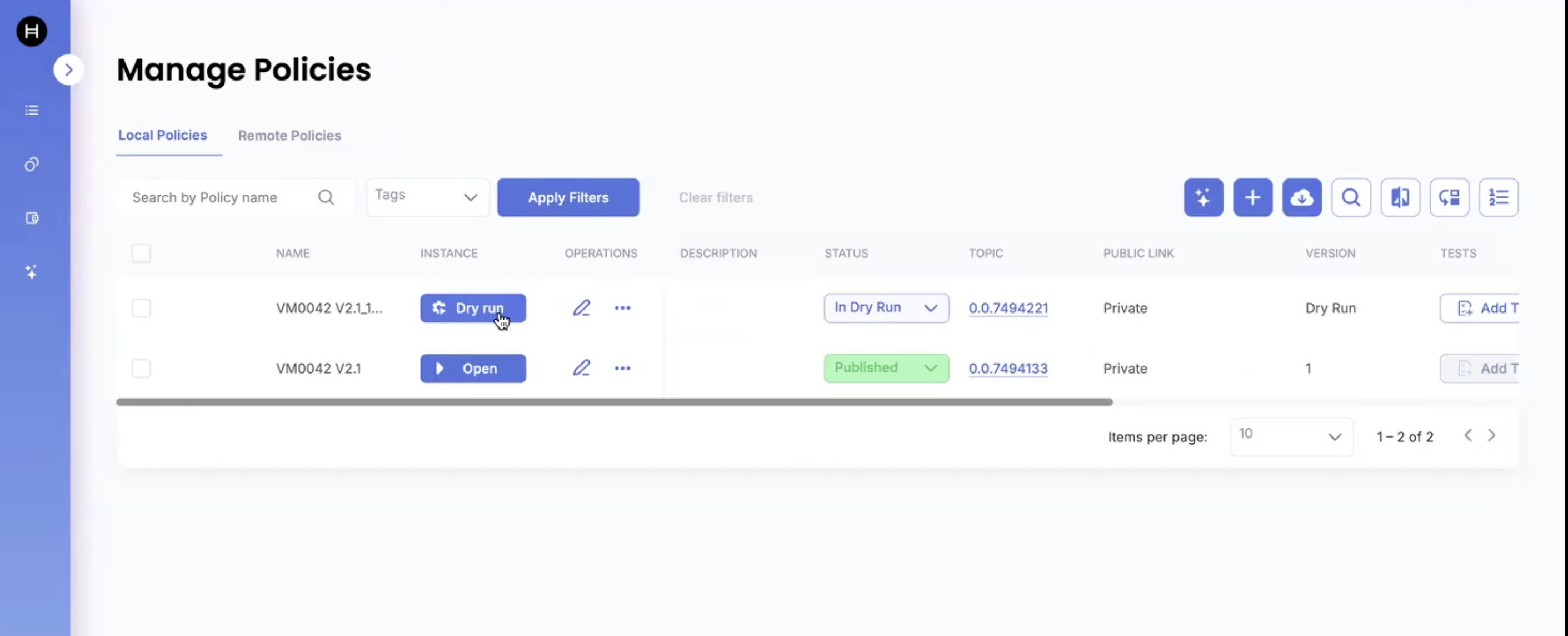
12. Now, we run the policy in the dry run mode:

<figure><img src="https://501642358-files.gitbook.io/~/files/v0/b/gitbook-x-prod.appspot.com/o/spaces%2FbKnJV8vV7zUxRwKIsJKg%2Fuploads%2Fgit-blob-0aee8ae402707d6c16d0ef0692429a421edb8ec7%2Fimage.png?alt=media" alt=""><figcaption></figcaption></figure>

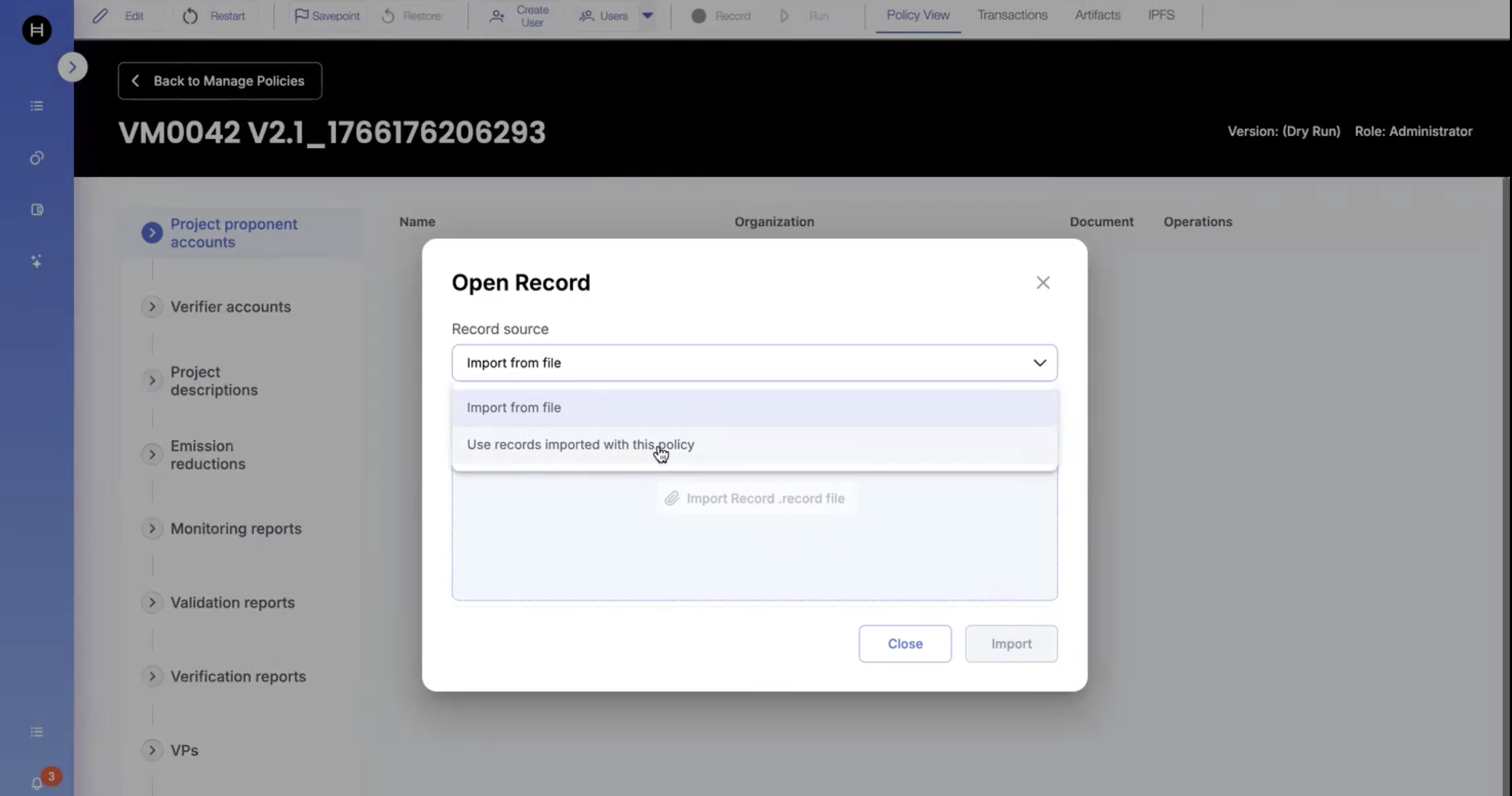
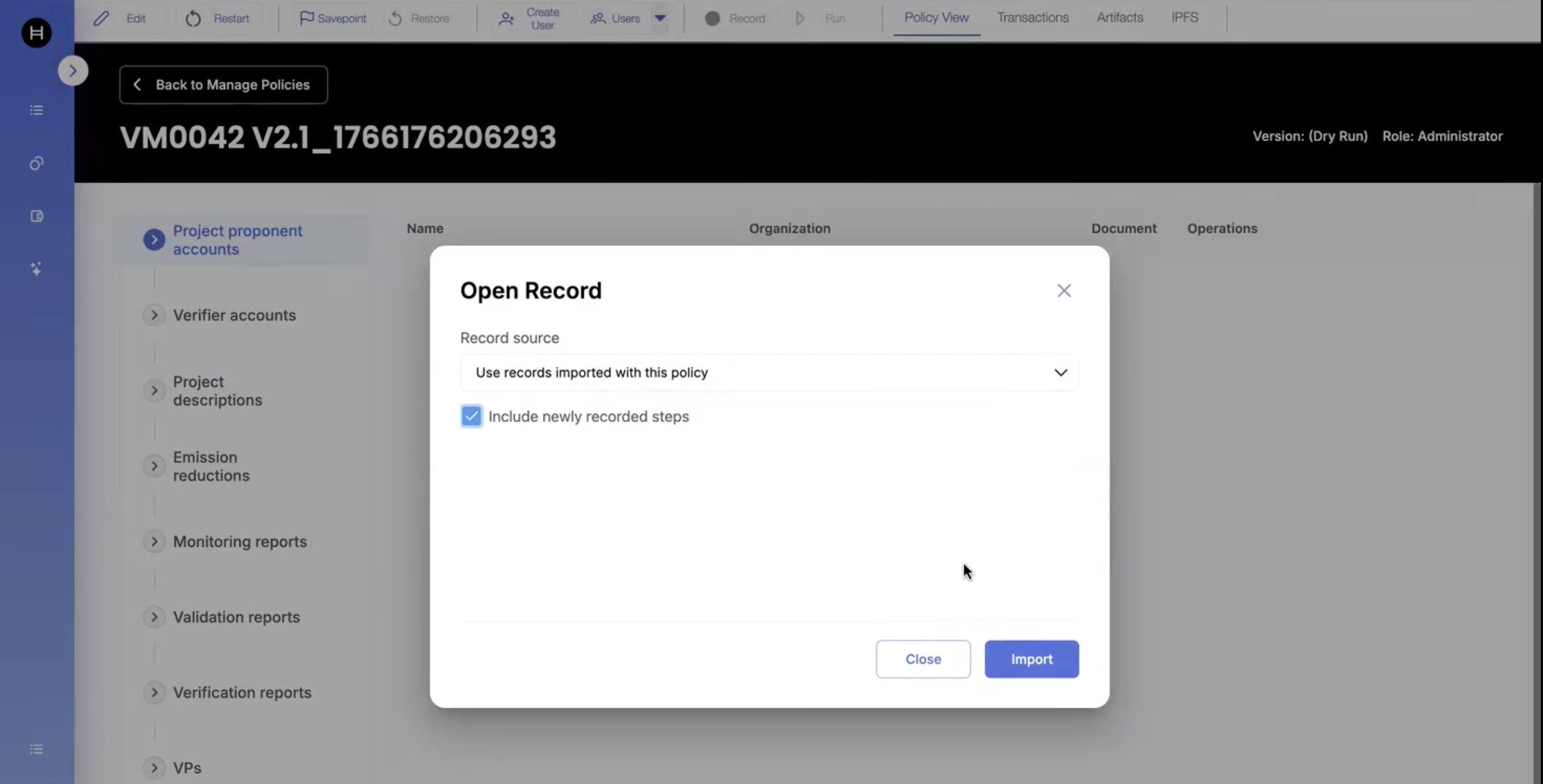
13. We now click on "Run" by enabling: **☑ Use records imported with this policy**

<figure><img src="https://501642358-files.gitbook.io/~/files/v0/b/gitbook-x-prod.appspot.com/o/spaces%2FbKnJV8vV7zUxRwKIsJKg%2Fuploads%2Fgit-blob-9fc791b1f4e78f0c83842d6bef70f43263001bd8%2Fimage.png?alt=media" alt=""><figcaption></figcaption></figure>

Optional: Also, include newly recorded steps (steps that were recorded after policy with the steps was imported)

<figure><img src="https://501642358-files.gitbook.io/~/files/v0/b/gitbook-x-prod.appspot.com/o/spaces%2FbKnJV8vV7zUxRwKIsJKg%2Fuploads%2Fgit-blob-6ec46da88510694a491a4249037a91f67ee11cb3%2Fimage.png?alt=media" alt=""><figcaption></figcaption></figure>

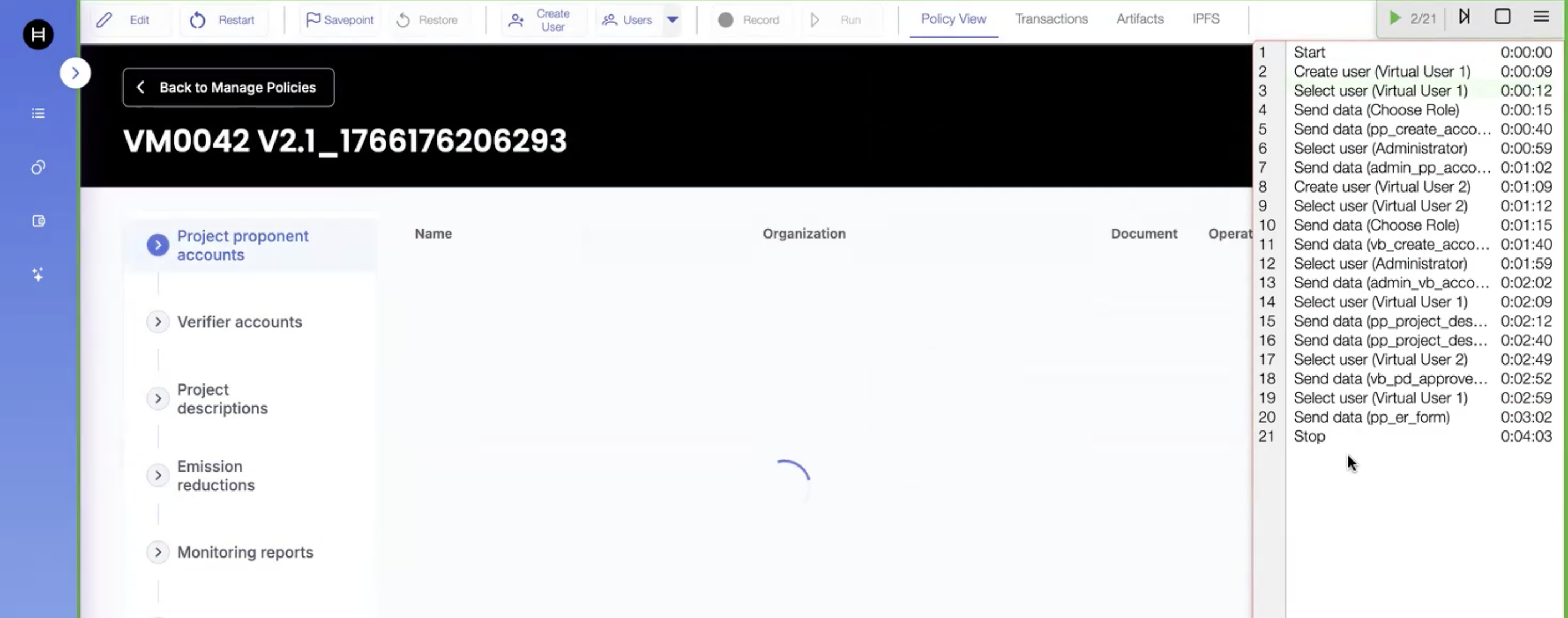
14. We should be able to see all the recorded steps when clicked on "Run"

<figure><img src="https://501642358-files.gitbook.io/~/files/v0/b/gitbook-x-prod.appspot.com/o/spaces%2FbKnJV8vV7zUxRwKIsJKg%2Fuploads%2Fgit-blob-594a2038cabcaaf81fd31794d1885c8509c4070c%2Fimage.png?alt=media" alt=""><figcaption></figcaption></figure>

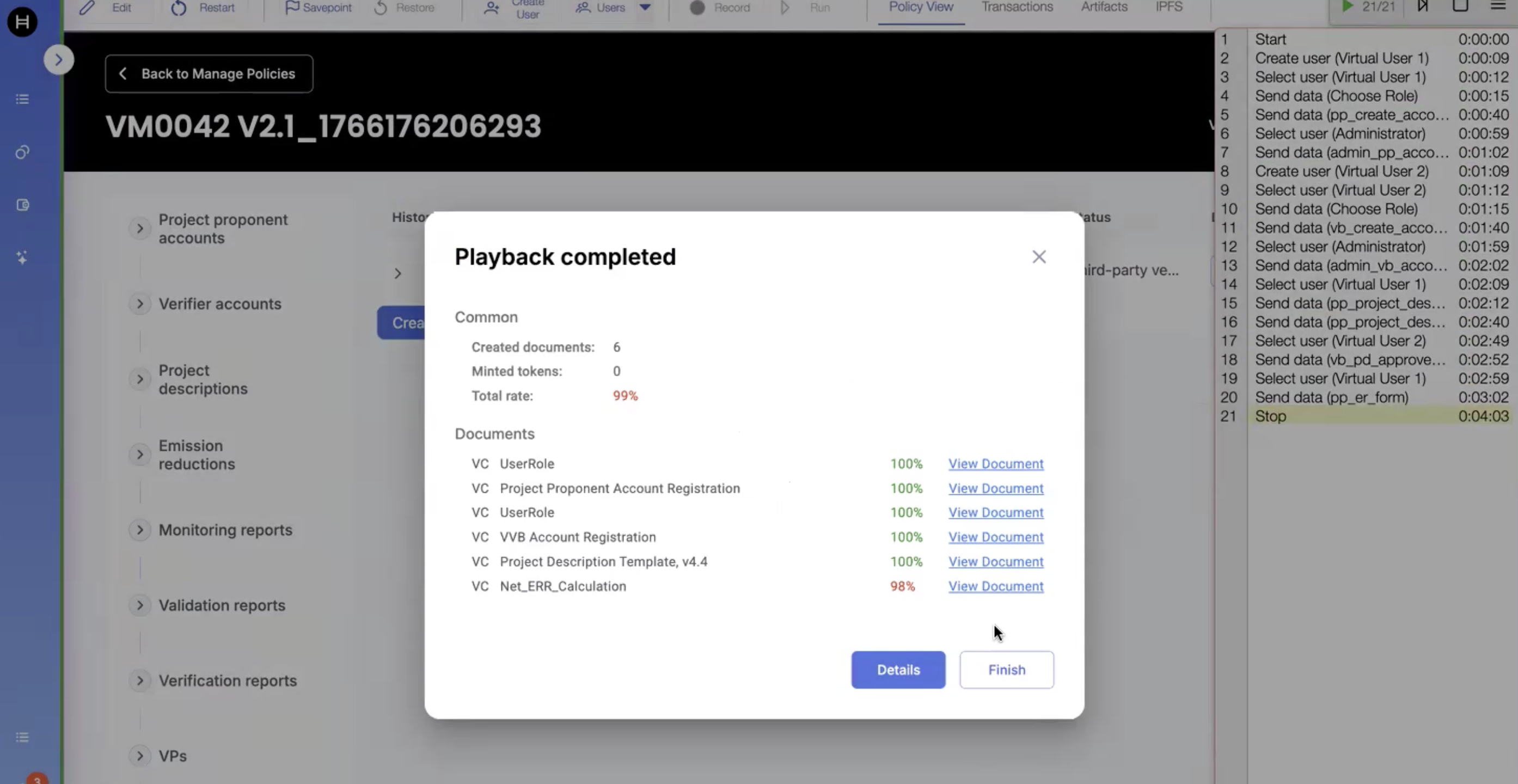
15. We can also view the Playback information:

<figure><img src="https://501642358-files.gitbook.io/~/files/v0/b/gitbook-x-prod.appspot.com/o/spaces%2FbKnJV8vV7zUxRwKIsJKg%2Fuploads%2Fgit-blob-b07d8c15c8f60f923b316ea8d70bc51a2a7f876f%2Fimage.png?alt=media" alt=""><figcaption></figcaption></figure>

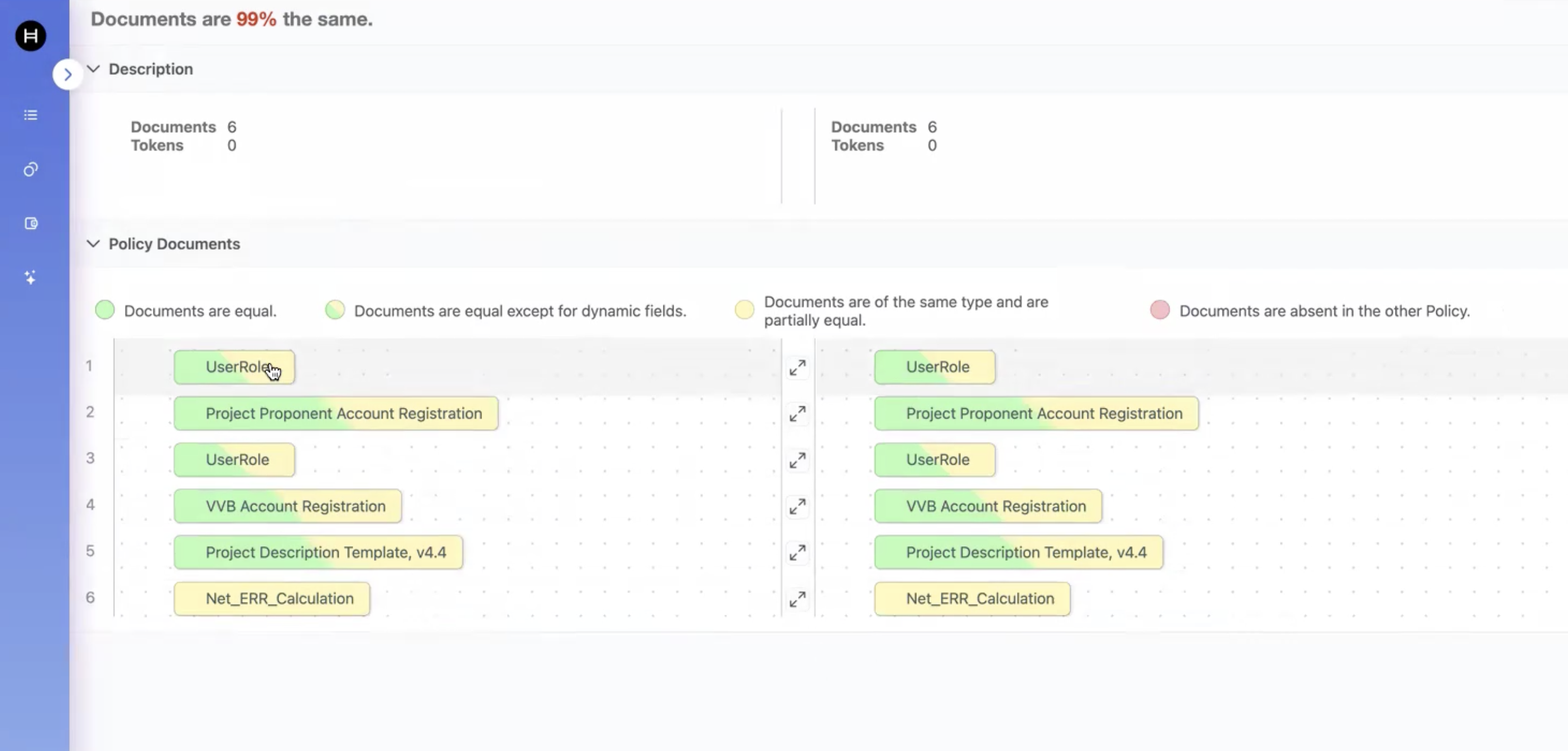
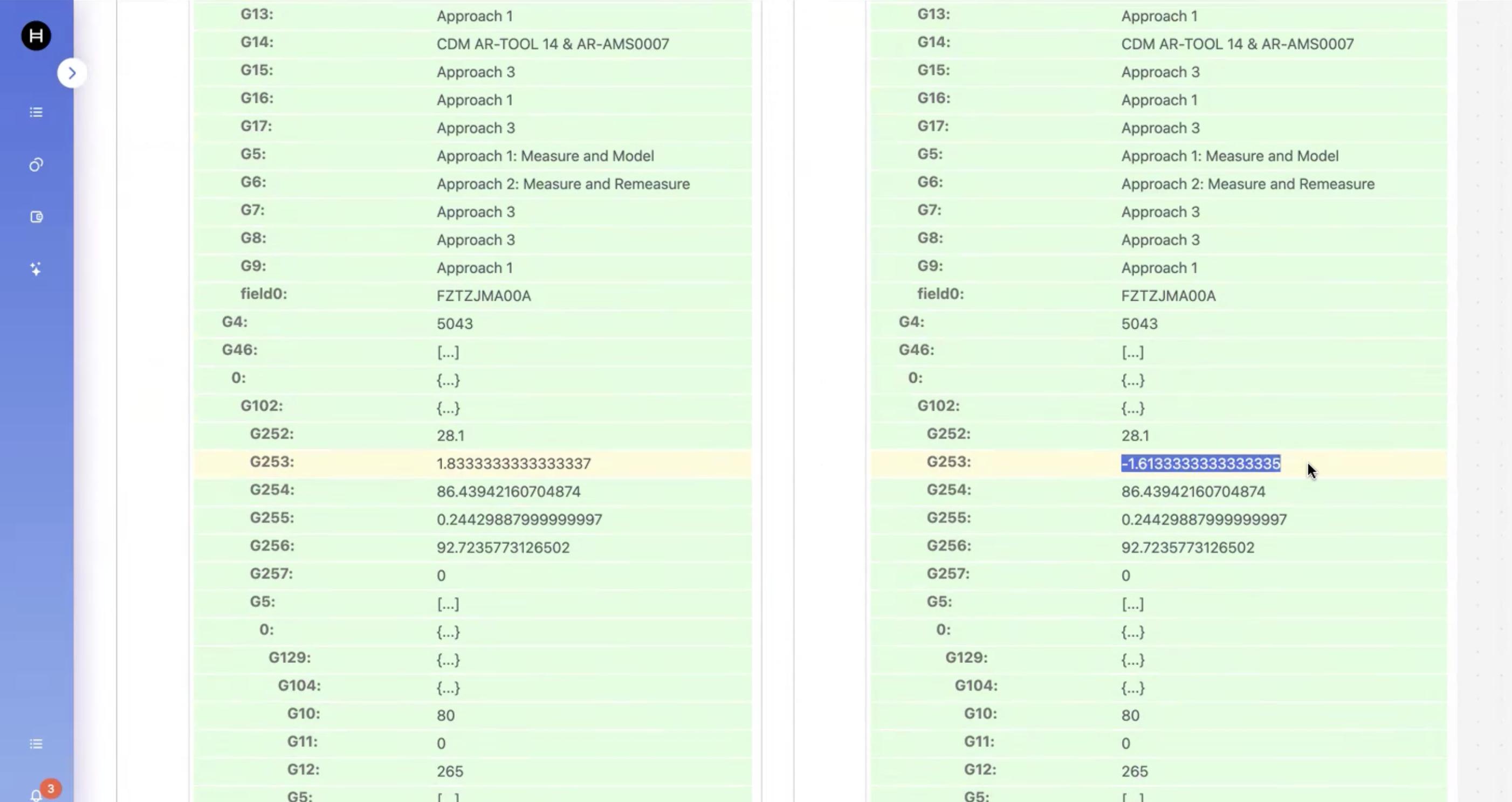
16. Documents can be compared by clicking on "Details" button:
<figure><img src="https://501642358-files.gitbook.io/~/files/v0/b/gitbook-x-prod.appspot.com/o/spaces%2FbKnJV8vV7zUxRwKIsJKg%2Fuploads%2Fgit-blob-f51091c4a948d709963eec91515c2f2ee2ededf9%2Fimage.png?alt=media" alt=""><figcaption></figcaption></figure>

<figure><img src="https://501642358-files.gitbook.io/~/files/v0/b/gitbook-x-prod.appspot.com/o/spaces%2FbKnJV8vV7zUxRwKIsJKg%2Fuploads%2Fgit-blob-9dd9fcb0edc4729749ab55a76e9307abb793daec%2Fimage.png?alt=media" alt=""><figcaption></figcaption></figure>