> For the complete documentation index, see [llms.txt](https://dev.guardian.hedera.com/llms.txt). Markdown versions of documentation pages are available by appending `.md` to page URLs; this page is available as [Markdown](https://dev.guardian.hedera.com/guardian/workspace/policies/policy-creation/creating-policy-navigation-stepper.md).

# Creating Policy Navigation (Stepper)

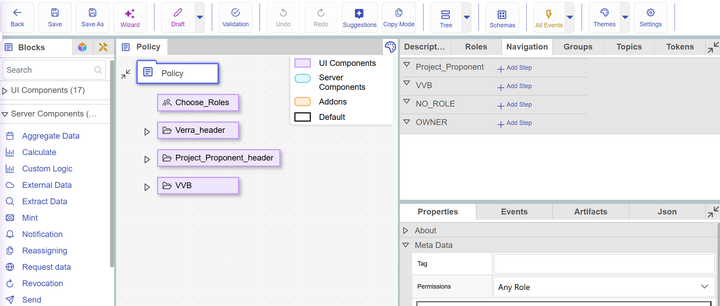
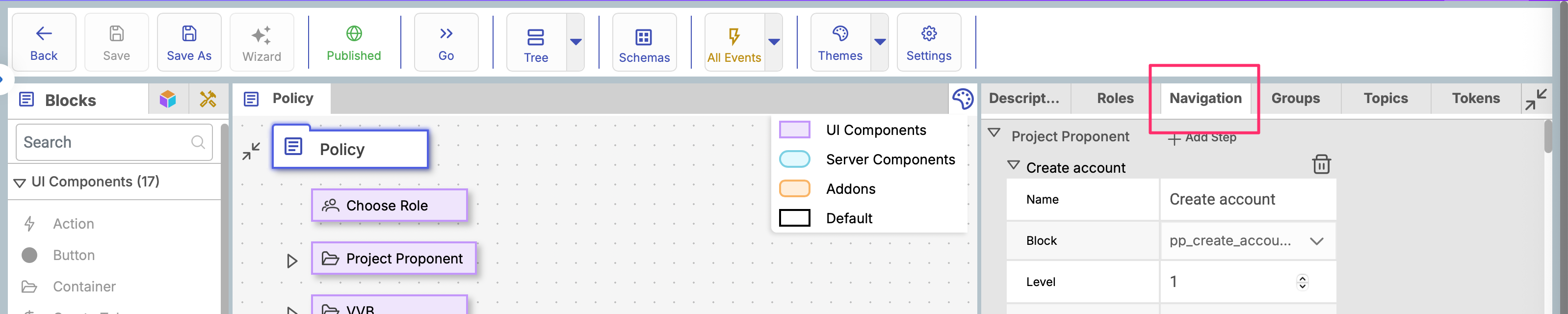
There is tab menu in right side in the policy configurator called "Navigation", which helps to configure the stepper in the policies.

<figure><img src="https://501642358-files.gitbook.io/~/files/v0/b/gitbook-x-prod.appspot.com/o/spaces%2FbKnJV8vV7zUxRwKIsJKg%2Fuploads%2Fgit-blob-40c24c55657b4c323f5ec09b97e6d84e1f1b57f8%2Fimage.png?alt=media" alt=""><figcaption></figcaption></figure>

There are all the roles for which you can create navigation:

<figure><img src="https://501642358-files.gitbook.io/~/files/v0/b/gitbook-x-prod.appspot.com/o/spaces%2FbKnJV8vV7zUxRwKIsJKg%2Fuploads%2Fgit-blob-7bcaf1fb4f5fca010a1611988af2cdde528fe5bc%2Fimage.png?alt=media" alt=""><figcaption></figcaption></figure>

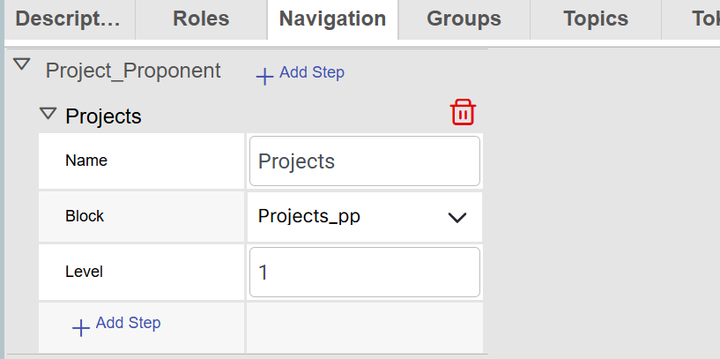
You can also add steps and change step name and must select block (to be able to navigate through the navigation the block must be of the container type "interfaceContainerBlock")

<figure><img src="https://501642358-files.gitbook.io/~/files/v0/b/gitbook-x-prod.appspot.com/o/spaces%2FbKnJV8vV7zUxRwKIsJKg%2Fuploads%2Fgit-blob-1ba2082912725f14df0ae9d5903660ce116b701e%2Fimage.png?alt=media" alt=""><figcaption></figcaption></figure>

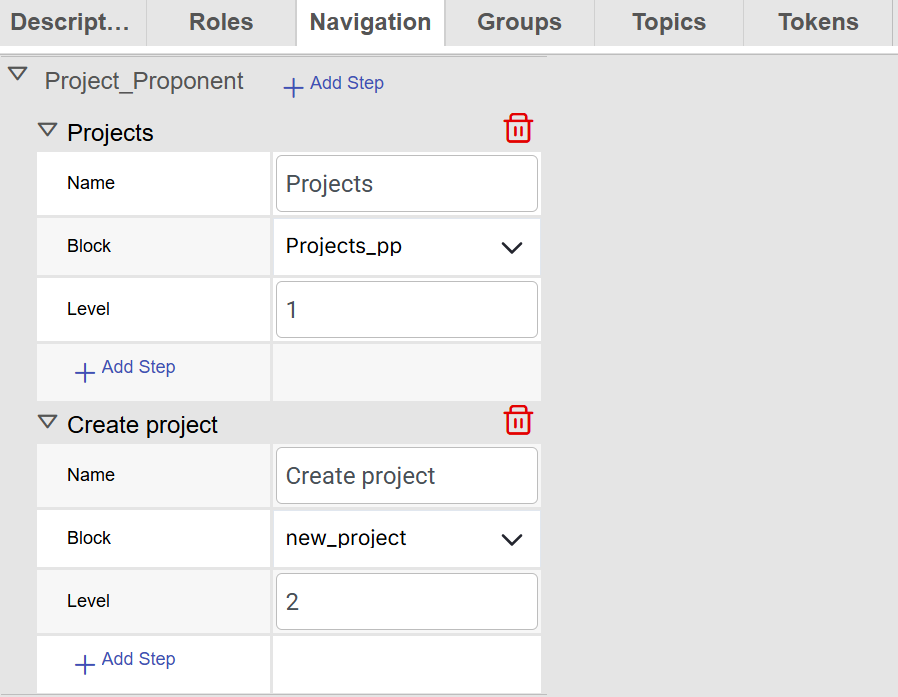
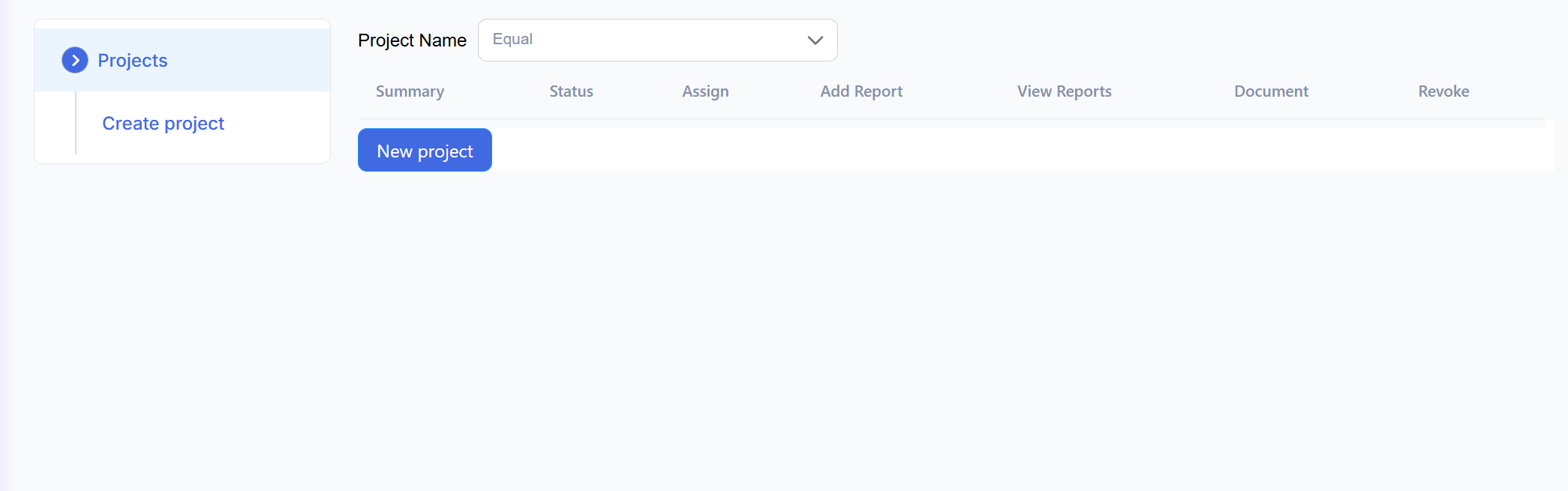
Level in the above screenshot means sub-items of the menu

For example:
<figure><img src="https://501642358-files.gitbook.io/~/files/v0/b/gitbook-x-prod.appspot.com/o/spaces%2FbKnJV8vV7zUxRwKIsJKg%2Fuploads%2Fgit-blob-3453c9fd3446714720d6e4f6bf47d20101e81623%2Fimage.png?alt=media" alt=""><figcaption></figcaption></figure>

<figure><img src="https://501642358-files.gitbook.io/~/files/v0/b/gitbook-x-prod.appspot.com/o/spaces%2FbKnJV8vV7zUxRwKIsJKg%2Fuploads%2Fgit-blob-1061414c4c4d01519898b7b18bb65ce134674c00%2Fimage.png?alt=media" alt=""><figcaption></figcaption></figure>